![AccountAbility_logo_primary_fullcolor-1.png]](https://knowledgebase.counta.com/hs-fs/hubfs/AccountAbility_logo_primary_fullcolor-1.png?height=40&name=AccountAbility_logo_primary_fullcolor-1.png)
Job Cash Summary covers data visualization, Excel export, and report previews, helping users break down financial details by job number for better insight into invoices and job management.
Step by Step Guide:
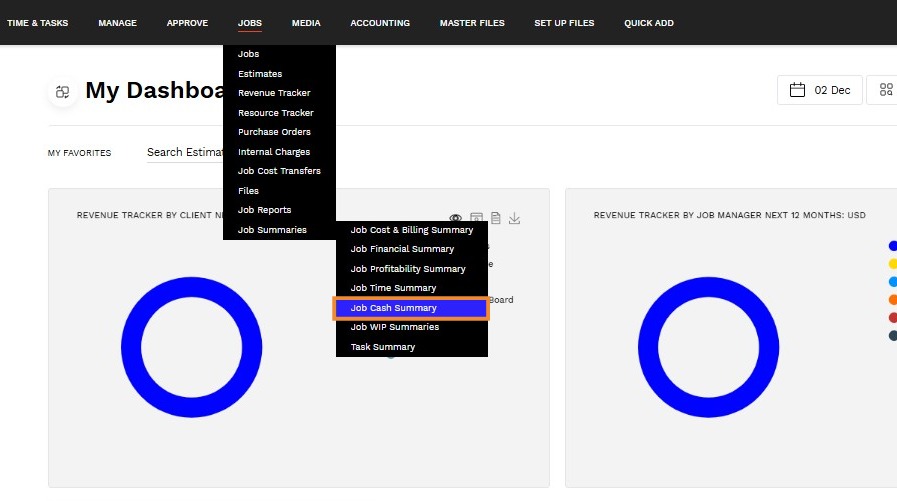
1. Navigate to JOBS > Job Summaries > Job Cash Summary.
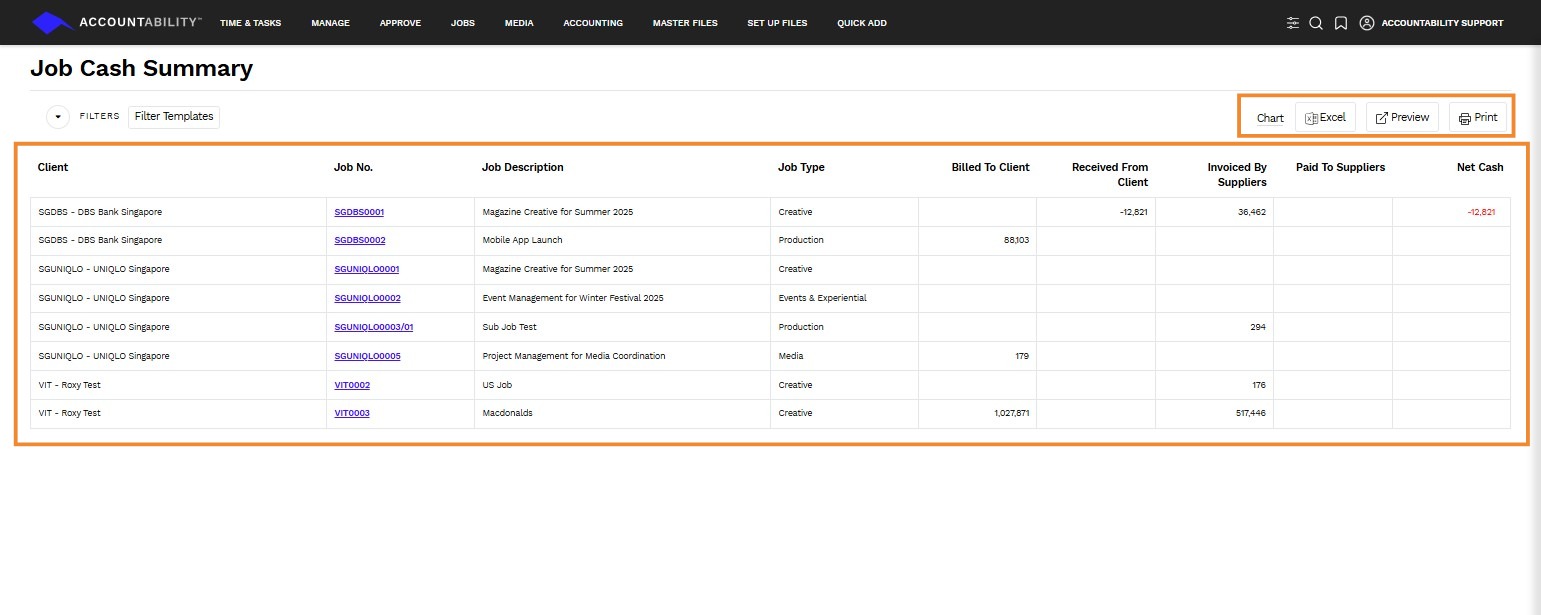
2. From this screen, you can click on the following:
- Chart - Provides you with a chart of job cash balances in which you can do the following
- Show or hide the labels of the balances
- Open a report selection page
- Show a data table
- Save the chart as an image.
- Excel - Click to export the job cash summary as an Excel report
- Summary - List with one row for each job.
- Detail - List of payment detail lines
- Preview - Click to preview the job cash summary as a downloadable and printable report
- Summary - List with one row for each job.
- Detail - List of payment detail lines
- Job No. - Click on the job number to see the data broken out by
- Client Job Invoices
- Supplier Invoices