![AccountAbility_logo_primary_fullcolor-1.png]](https://knowledgebase.counta.com/hs-fs/hubfs/AccountAbility_logo_primary_fullcolor-1.png?height=40&name=AccountAbility_logo_primary_fullcolor-1.png)
Tip: Accountability offers 2 types of threshold methods to calculate Withholding Tax.
1. Invoice - the system uses the invoice amount to determine if the threshold is met. 2. Annual Amount - the system reviews all past invoices for the year and determines if the threshold is met.
Threshold Method - Invoice
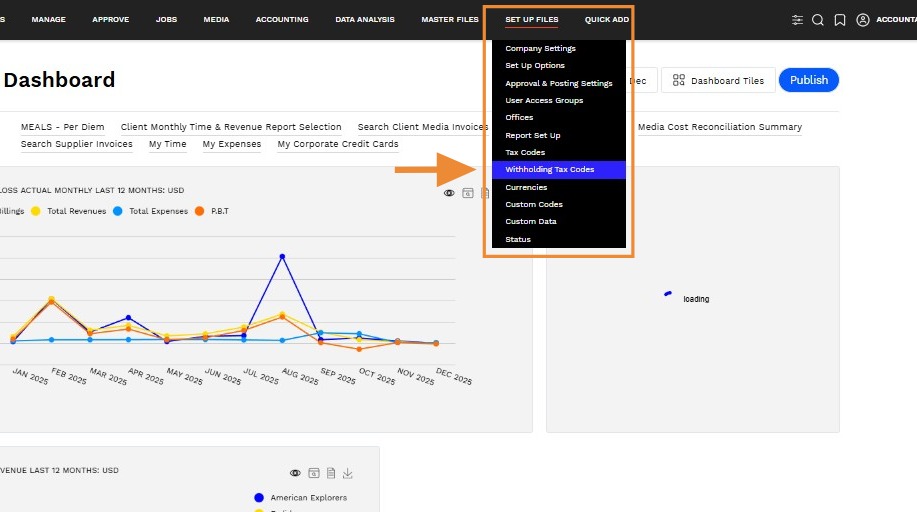
1. Navigate to SET UP FILES > Withholding Tax Codes
2. Click New Withholding Tax Code
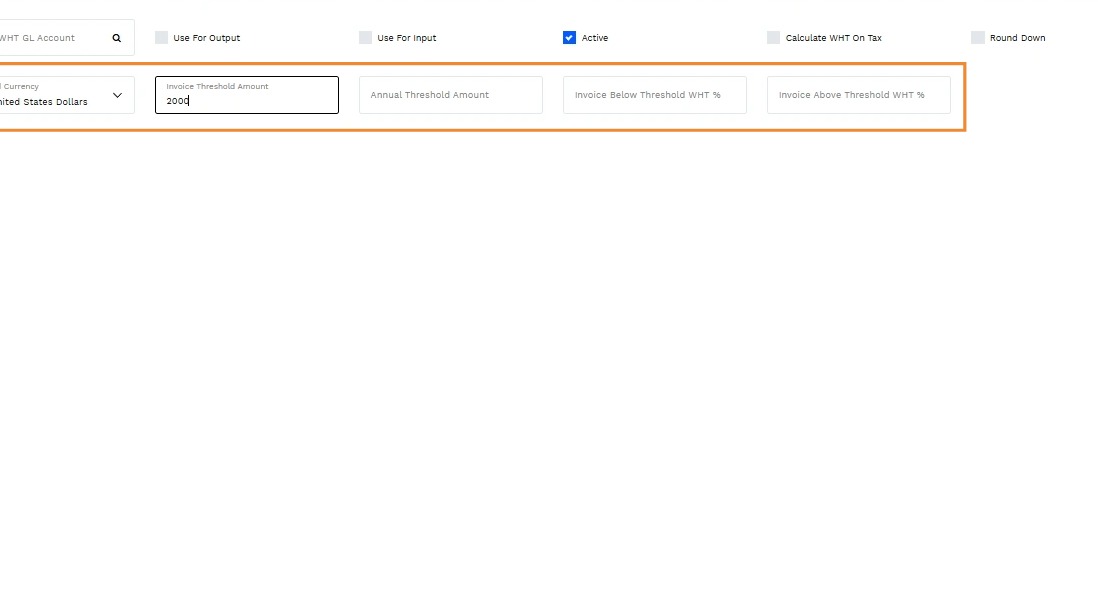
3. Select Invoice from the Threshold Method field and additional fields will appear.
Field Description
- Threshold Currency - Select the currency from the drop-down list.
- Threshold Amount - Enter the threshold amount.
- Below Threshold WHT % - Enter the percentage for the system to calculate withholding tax if the amount is equal to or falls below the Threshold Amount.
- Above Threshold WHT % - Enter the percentage for the system to calculate the withholding tax on the invoice amount above the threshold.
Threshold Method - Annual Amount
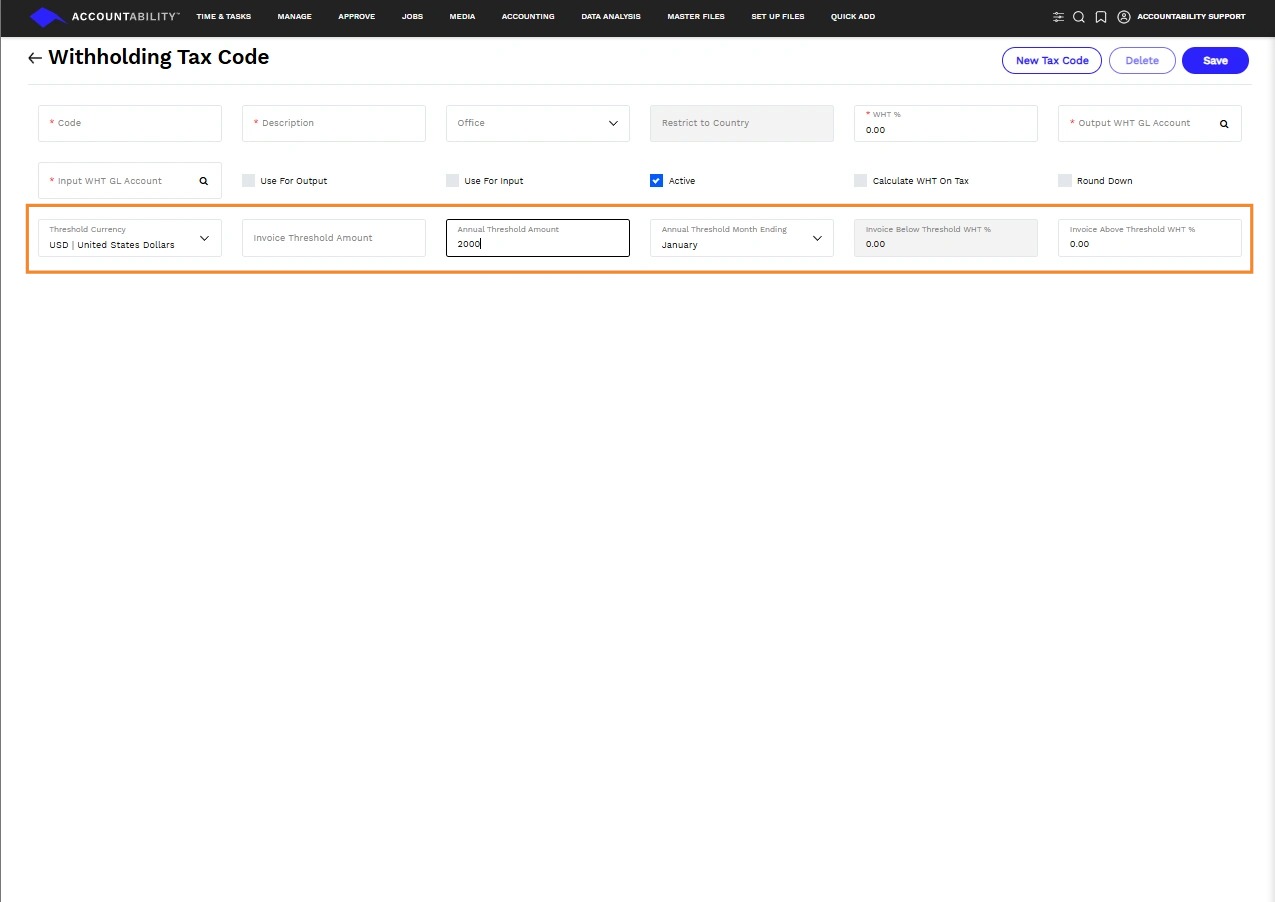
4. Select Annual Amount from the Threshold Method field and additional fields will appear.
Field Description
- Annual Threshold Month Ending - Select a month from the drop-down list to define the end of the threshold period.
- Threshold Currency - Select the currency from the drop-down list.
- Annual Threshold Amount - Enter the threshold amount.
- Below Threshold WTH % - Enter the percentage for the system to calculate withholding tax if the annual amount is equal to or falls below the Threshold Amount.
- Above Threshold WTH % - Enter the percentage for the system to calculate the withholding tax on the annual amount above the threshold, within the threshold period.