![AccountAbility_logo_primary_fullcolor-1.png]](https://knowledgebase.counta.com/hs-fs/hubfs/AccountAbility_logo_primary_fullcolor-1.png?height=40&name=AccountAbility_logo_primary_fullcolor-1.png)
This guide provides a straightforward method for accessing and utilizing Consolidated Exchange Rates, essential for accurate financial reporting and currency conversion. It outlines how to navigate the system, filter data by specific criteria, and update rates using Xignite, ensuring users have the most current information. By following this guide, users can efficiently manage currency transactions and enhance their financial analysis capabilities.
Step by Step Guide:
1. How to find Consolidated FX Rates.
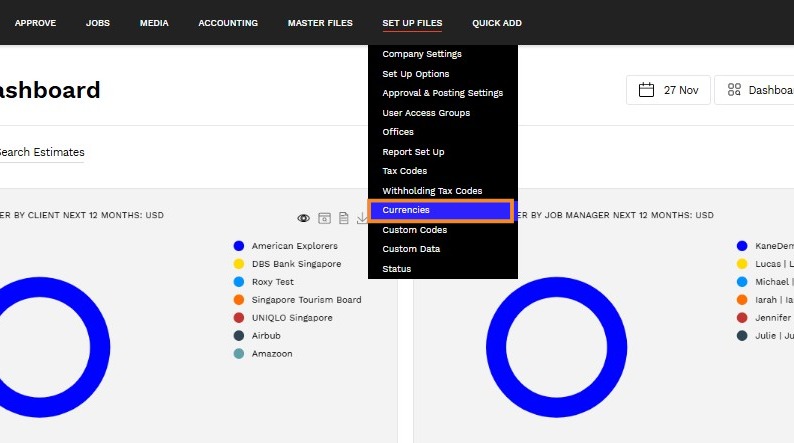
- Navigate to SET UP FILES > CURRENCIES.
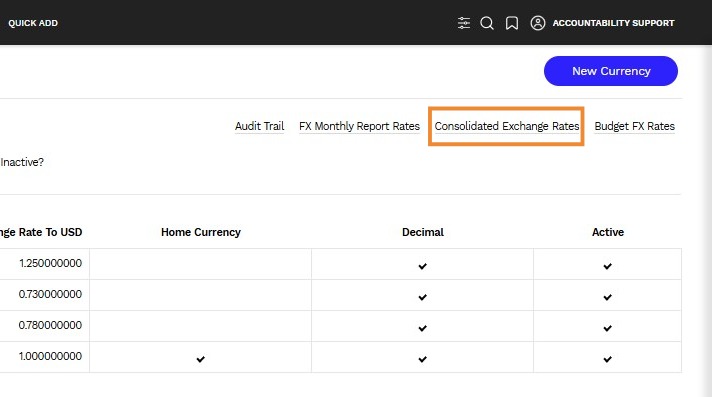
2. Click on the Consolidated Exchange Rates hyperlink.
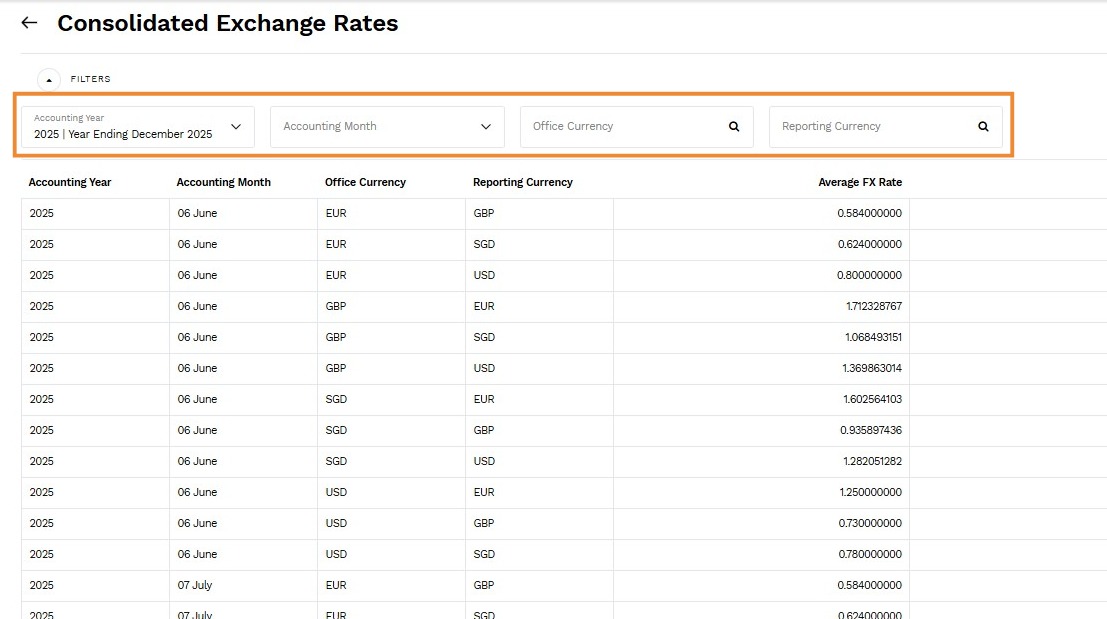
3. The Consolidated Exchange Rates screen will display a table which calculates the average exchange rate between various currencies for the specific accounting month and year. Use the Filters to narrow down the year, month and currencies you would like to see.
Terms and definitions:
- Office Currency - Base currency transactions/journal entries have been recorded against
- Reporting Currency - Currency to convert to
- Average FX Rate - System calculated average exchange rate for the accounting month/year
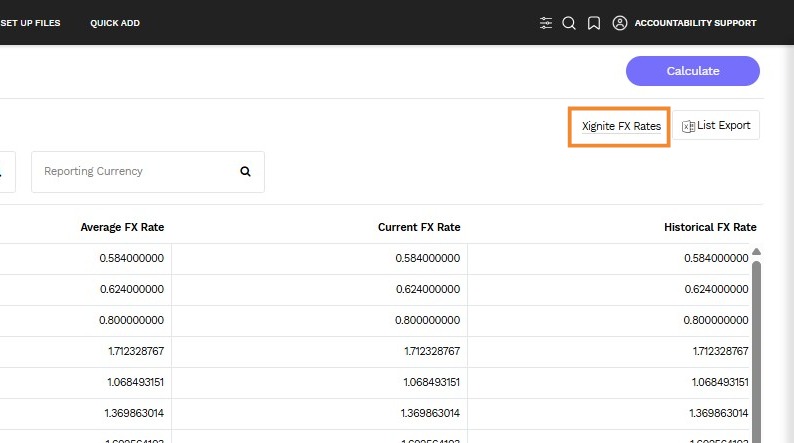
- Current FX Rate - Latest average rate from Xignite
- Historical FX Rate - Same logic as Current FX Rate
4. Click on the Calculate button to update the rate table with the most recent exchange rates from Xignite.
5. You can export the daily exchange rates from Xignite based on the filters defined by clicking on the Xignite FX Rates hyperlink.
Alert: Data from Xignite is available via a subscription through Counta. Please contact support@counta.com for details.