![AccountAbility_logo_primary_fullcolor-1.png]](https://knowledgebase.counta.com/hs-fs/hubfs/AccountAbility_logo_primary_fullcolor-1.png?height=40&name=AccountAbility_logo_primary_fullcolor-1.png)
Step by Step Guide:
1. Access My Time
Navigate to Time & Tasks > My Time.

2. Delete a Timesheet Line
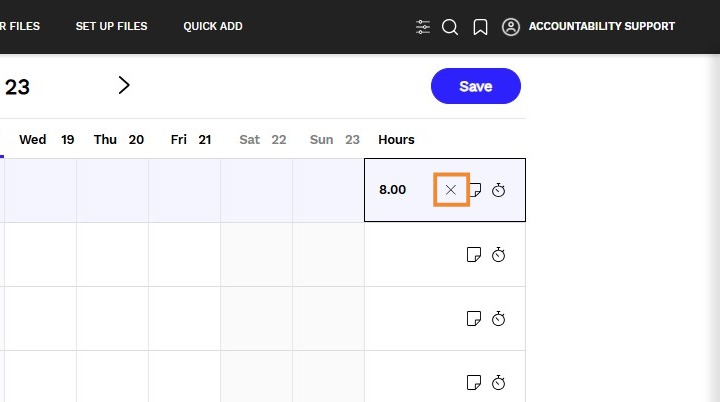
- Locate the row you wish to delete.
- Click the X at the end of the row.
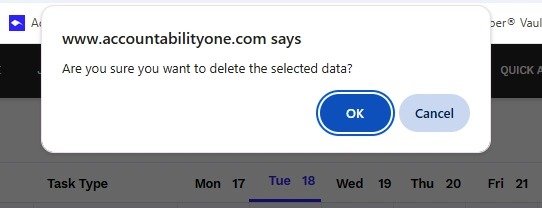
Alert: A pop up box will be presented to confirm your deletion.
Tip: - A timesheet line can only be deleted if the timesheet has not been submitted or approved.
- If a pinned job is deleted, the pin is also removed from all future weeks with zero hours, effectively unpinning it.
- Deleted lines cannot be recovered. If a deletion was made in error, the entry must be manually re-added.