![AccountAbility_logo_primary_fullcolor-1.png]](https://knowledgebase.counta.com/hs-fs/hubfs/AccountAbility_logo_primary_fullcolor-1.png?height=40&name=AccountAbility_logo_primary_fullcolor-1.png)
Step by Step Guide:
Tip: Why This Matters for Agencies
- Clear Reporting: Departments allow you to segment revenue and expenses by service line (e.g., Creative, Media Buying, Strategy).
- Better Resource Planning: Assigning employees to the correct department helps forecast capacity for campaigns.
- Approval Routing: Department-level setup ensures the right managers approve jobs, expenses, and timesheets.
Step 1: Navigate to Master Files
- Log in to Counta with admin credentials.
- Go to Master Files > Employees.
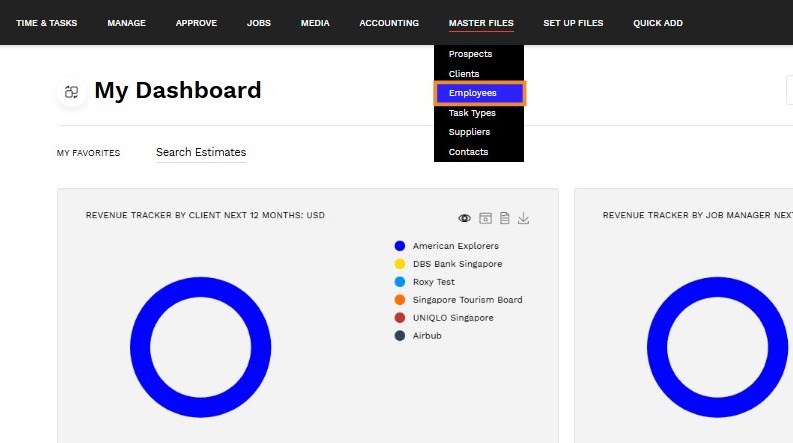
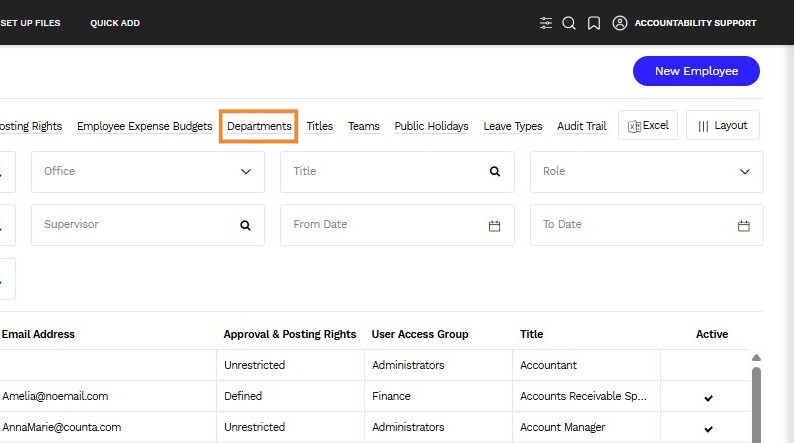
Step 2: Access the Employee Landing Page
- You will be presented with the Employee Landing Page.
- At the top section, click the Departments hyperlink.
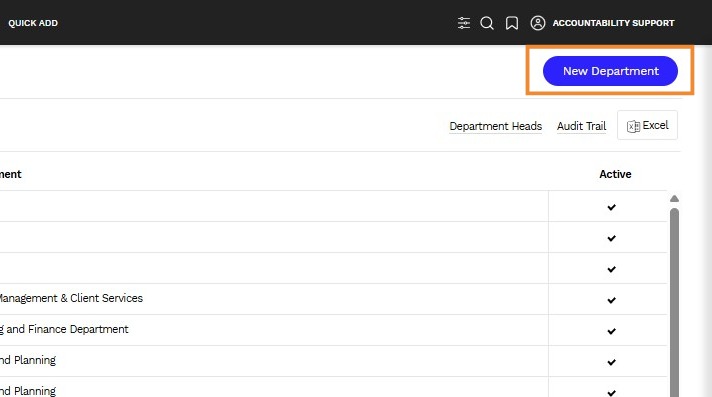
Step 3: Add a New Department
- Click Add Department.
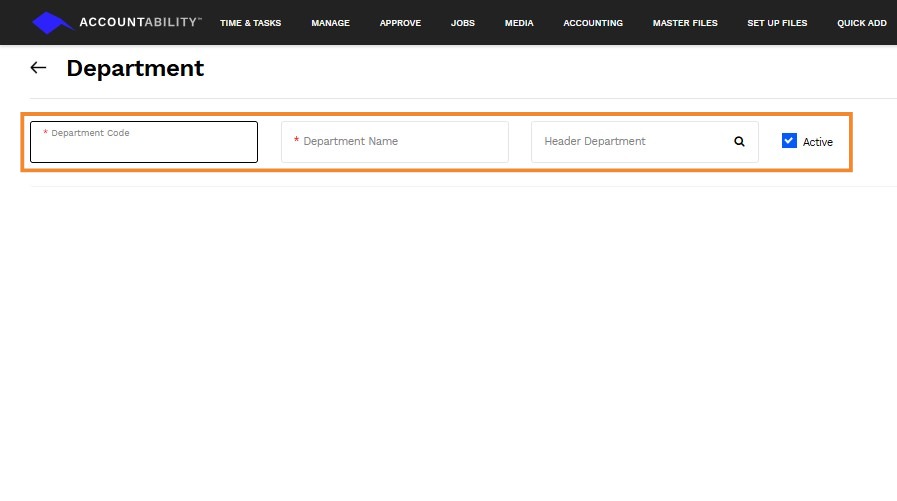
Step 4: Enter Department Details
When creating a new department, provide the following information:
- Department Code
Enter a short, easily recognizable code for the department (e.g., CRTV for Creative).
Why it matters: A clear code simplifies reporting and makes it easy to identify departments in dropdowns and analytics. - Department Name
Enter the full department name (e.g., Creative Services, Media Buying).
Tip for Agencies: Use names that align with your client-facing service lines to ensure accurate billing and reporting. - Header Department (Optional)
Select a parent or header department if applicable.
Why it matters: Linking departments under a parent structure improves organizational efficiency, enabling better coordination for shared activities and consolidated reporting.
Step 5: Save and Confirm
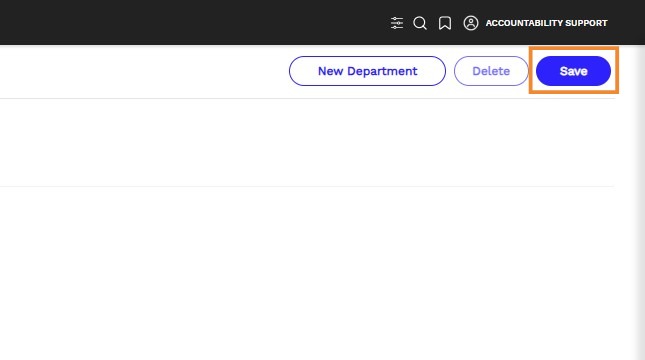
- Click Save.
- Verify that the department appears in the list and is available for assignment to employees.
Tip: Best Practices for Agencies
- Align with P&L Structure: Departments should mirror your financial reporting categories for clean analytics.
- Onboarding Workflow: Assign employees to departments during onboarding to avoid misallocated costs.
- Quarterly Audit: Review departments to ensure they reflect current service lines and team structures.