![AccountAbility_logo_primary_fullcolor-1.png]](https://knowledgebase.counta.com/hs-fs/hubfs/AccountAbility_logo_primary_fullcolor-1.png?height=40&name=AccountAbility_logo_primary_fullcolor-1.png)
Step by Step Guide:
Overview
1. There are multiple online summaries for you to choose from. All job summaries can be filtered by based on parameters defined and exported into Excel if needed.
Job Financial Summary
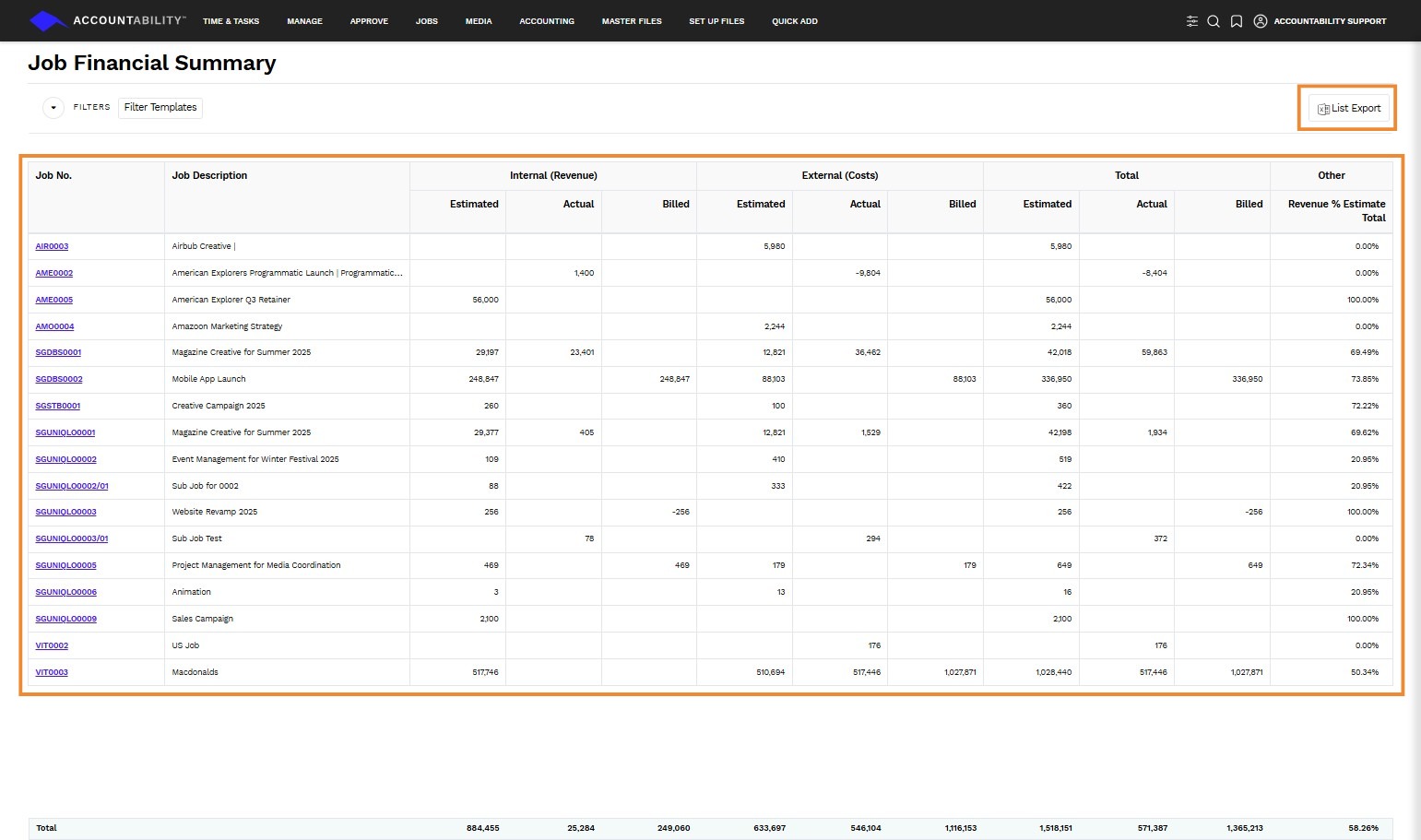
2. Provides an overview of what has been estimated and billed on each job and what costs and billable time have been incurred in the same format as the Job Cost & Work in Progress Summary Report. To access it, navigate to JOBS > Job Summaries > Job Financial Summary. From there, click the List Export button to download the report in Excel format.
Job Profitability Summary
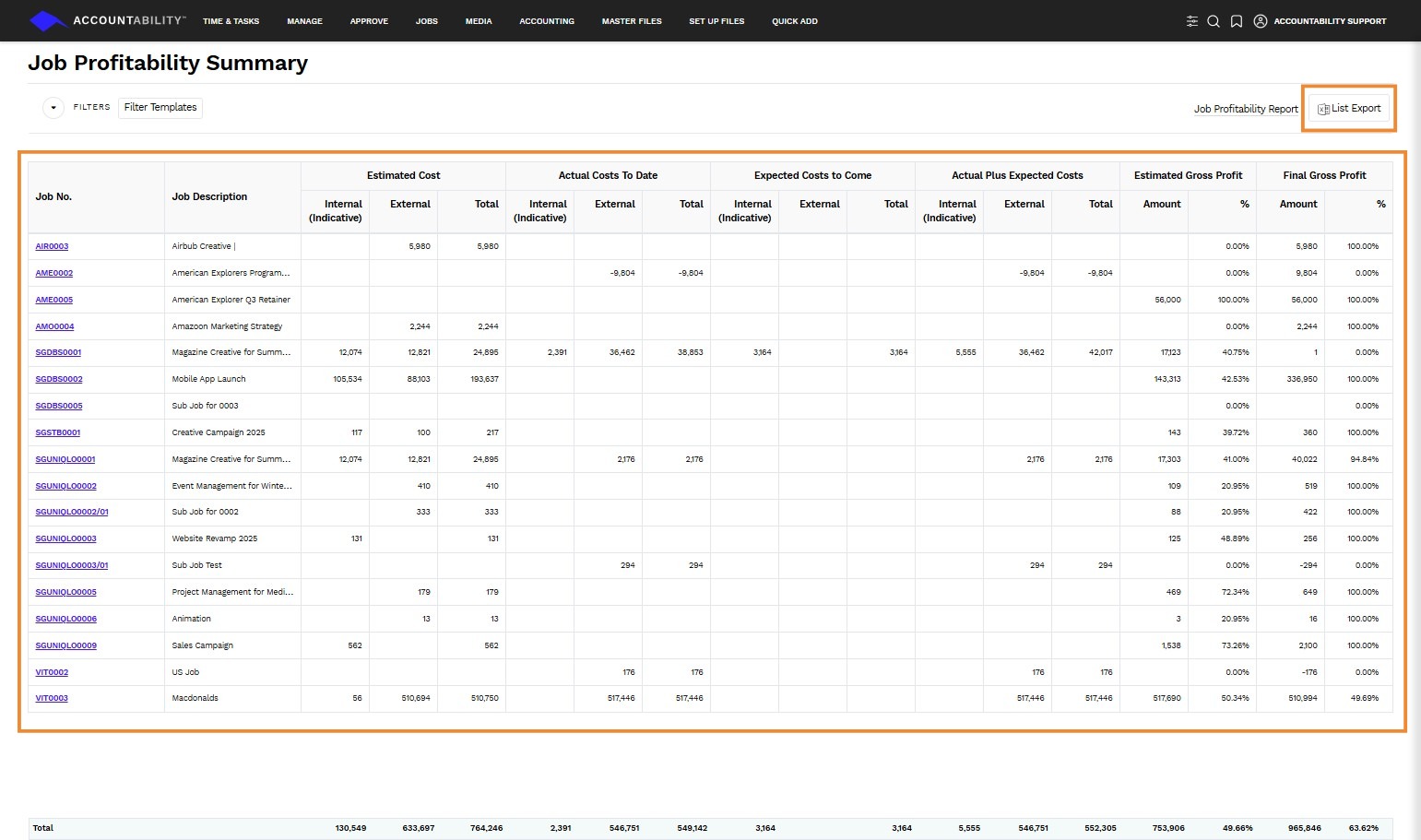
3. Provides an overview of the Estimated Costs, Actual Costs, Expected Costs to Come, Actual Plus Expected Costs, all broken out by Internal, External and Total costs, as well as the Estimated and Final gross profit. To access it, navigate to JOBS > Job Summaries > Job Profitability Summary. From there, click the List Export button to download the report in Excel format.
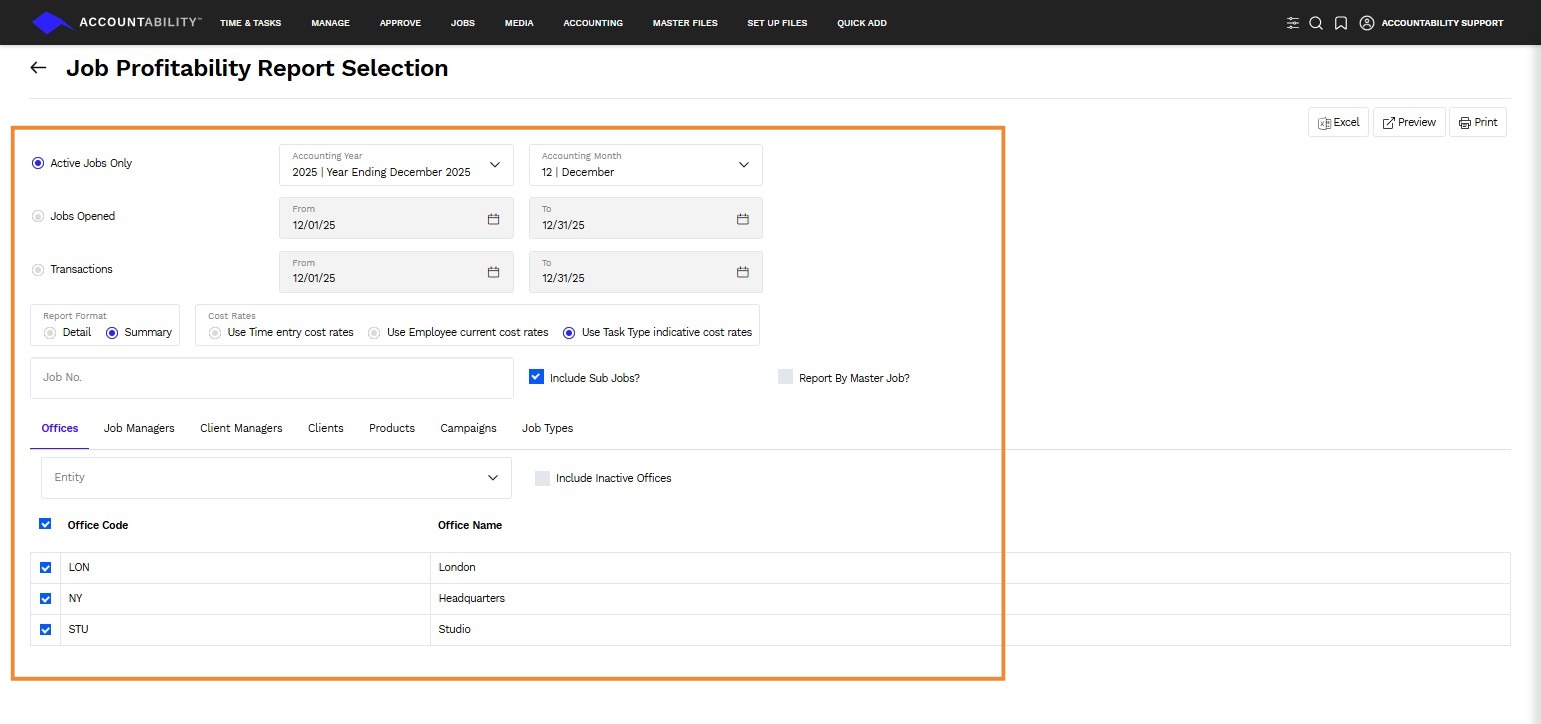
4. Click the Job Profitability Report hyperlink in the upper right-hand corner to adjust the filters based on what you need.
Job Time Summary
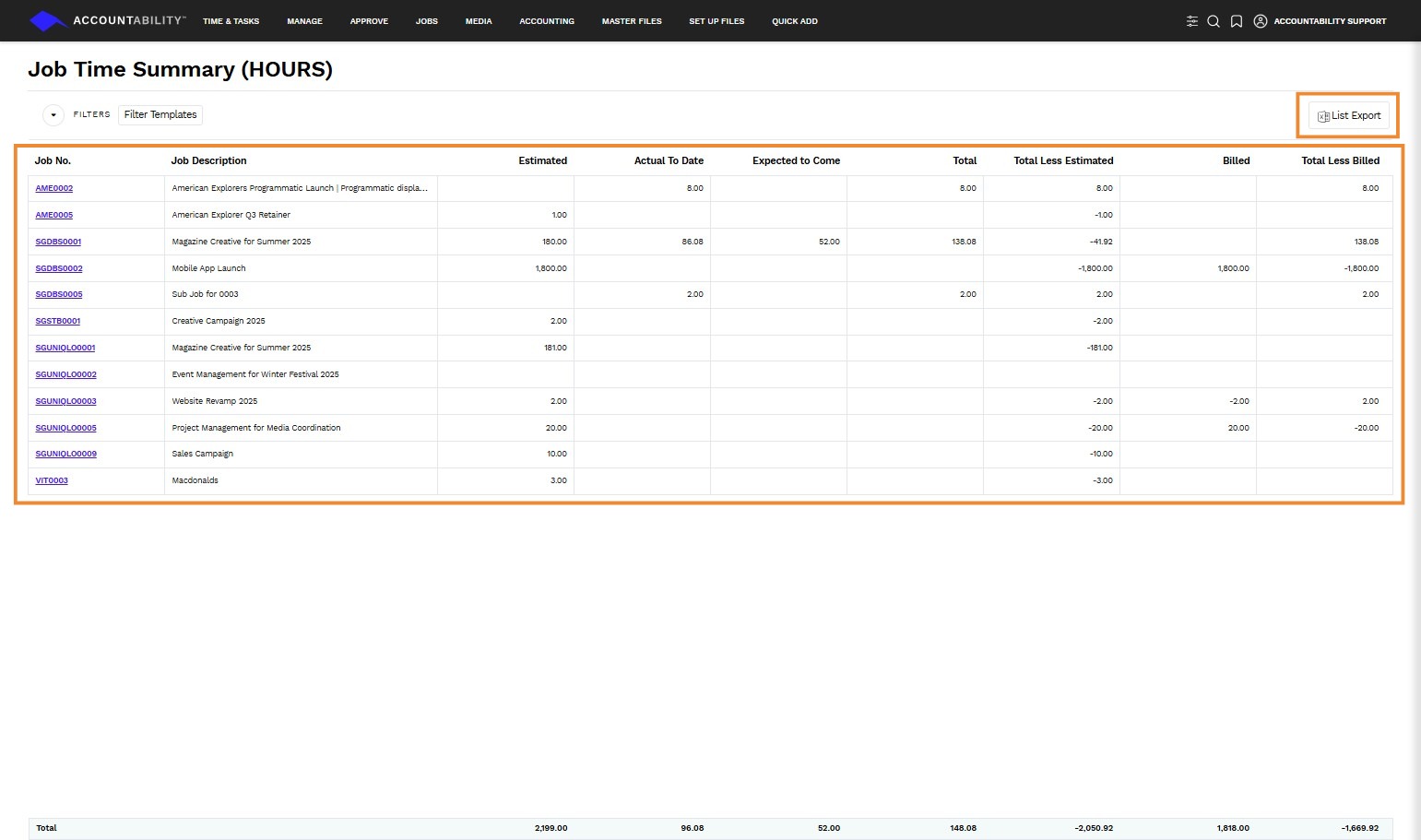
5. Provides on overview of the hours on a Job, by Estimated, Actual to Date, Expected to Come, Total, Total Less Estimated, Billed hours and Total Less Billed. To access it, navigate to JOBS > Job Summaries > Job Time Summary. From there, click the List Export button to download the report in Excel format.
Job Cash Summary
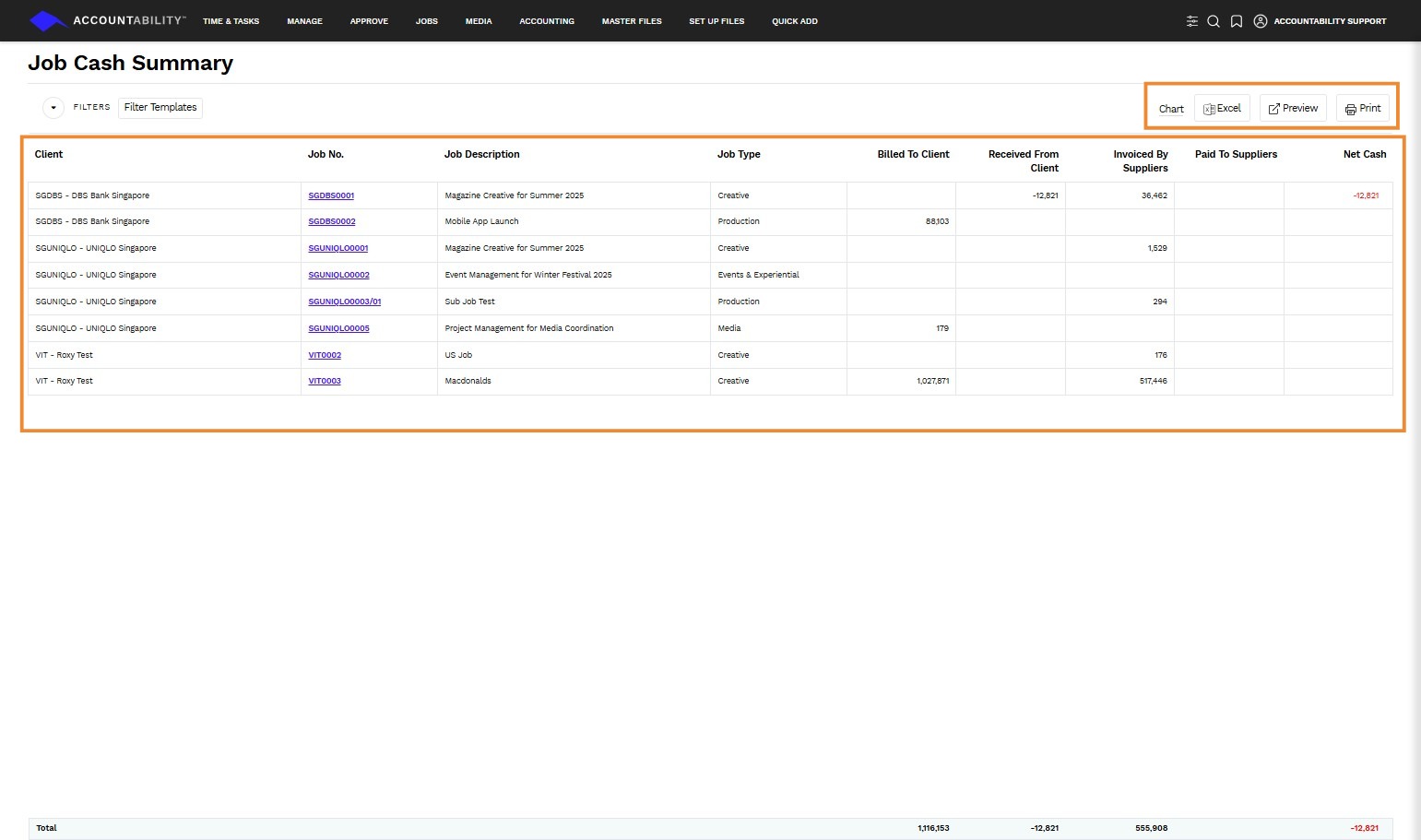
6. Provides a summary of a job's cash position and includes the amount Billed to Client, Received from Client, Invoice by Supplier, and Paid to Supplier. To access it, navigate to JOBS > Job Summaries > Job Cash Summary. From there, you can click on Chart, Excel, Preview, or Print button to download and view the report.
Job WIP Summaries
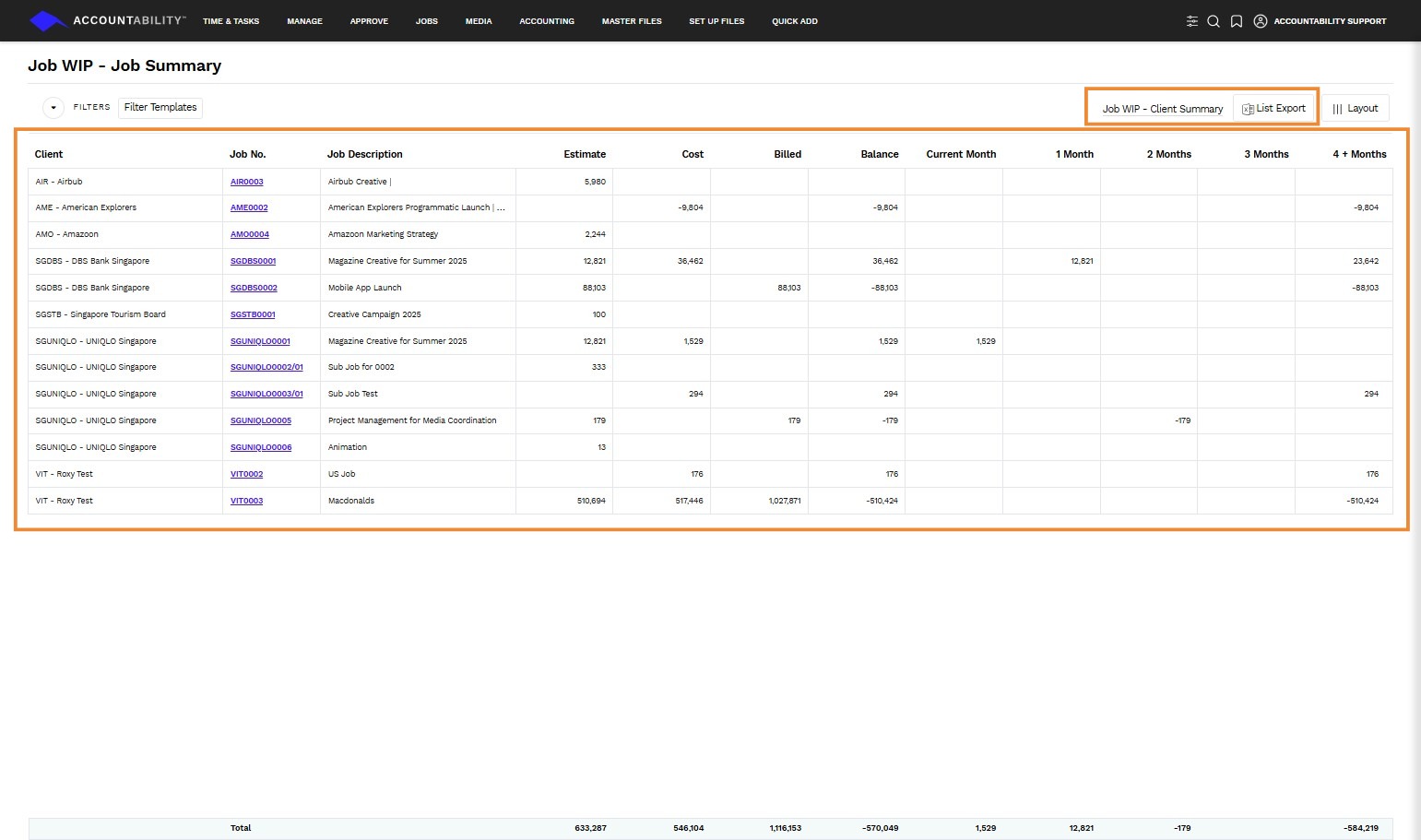
7. Provides an aged WIP balance at the client and job level. To access it, navigate to JOBS > Job Summaries > Job WIP Summaries > Job WIP - Job Summary. From there, you can click on List Export button to download the report. Click on Job WIP - Client Summary hyperlink to view the report in a client level.
Task Type Summary
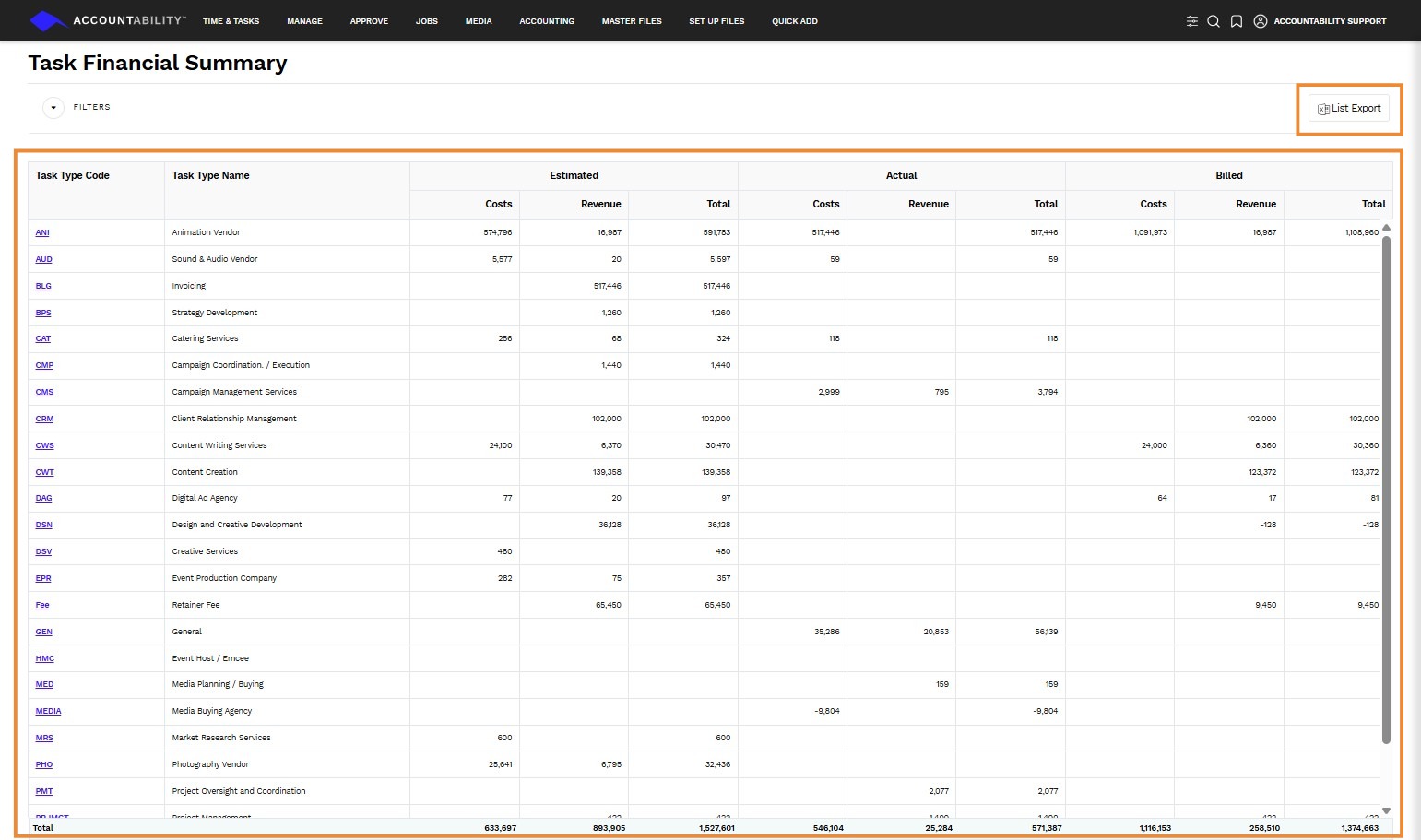
8. Provides a summary of Job transactions by Task Type filtered on various criteria. To access it, navigate to JOBS > Job Summaries > Job WIP Summaries > Job WIP - Job Summary. From there, you can click on List Export button to download the report.