![AccountAbility_logo_primary_fullcolor-1.png]](https://knowledgebase.counta.com/hs-fs/hubfs/AccountAbility_logo_primary_fullcolor-1.png?height=40&name=AccountAbility_logo_primary_fullcolor-1.png)
What it is
When you select a supplier on a new purchase order, Counta populates the Payment Terms field with the supplier’s default terms. If no default terms are defined, the field remains blank.
You can select or change the terms to reflect the payment arrangement for that purchase.
The Display Payment Terms on Purchase Orders setting controls whether those terms appear on the printed PO.
Why it matters
Supplier defaults save users from checking the supplier record and manually entering payment terms on each new PO.
Displaying the terms on the printed purchase order also gives the supplier a record of the payment arrangement.
How does it work - Step-by-step guide:
Enable payment terms on printed purchase orders
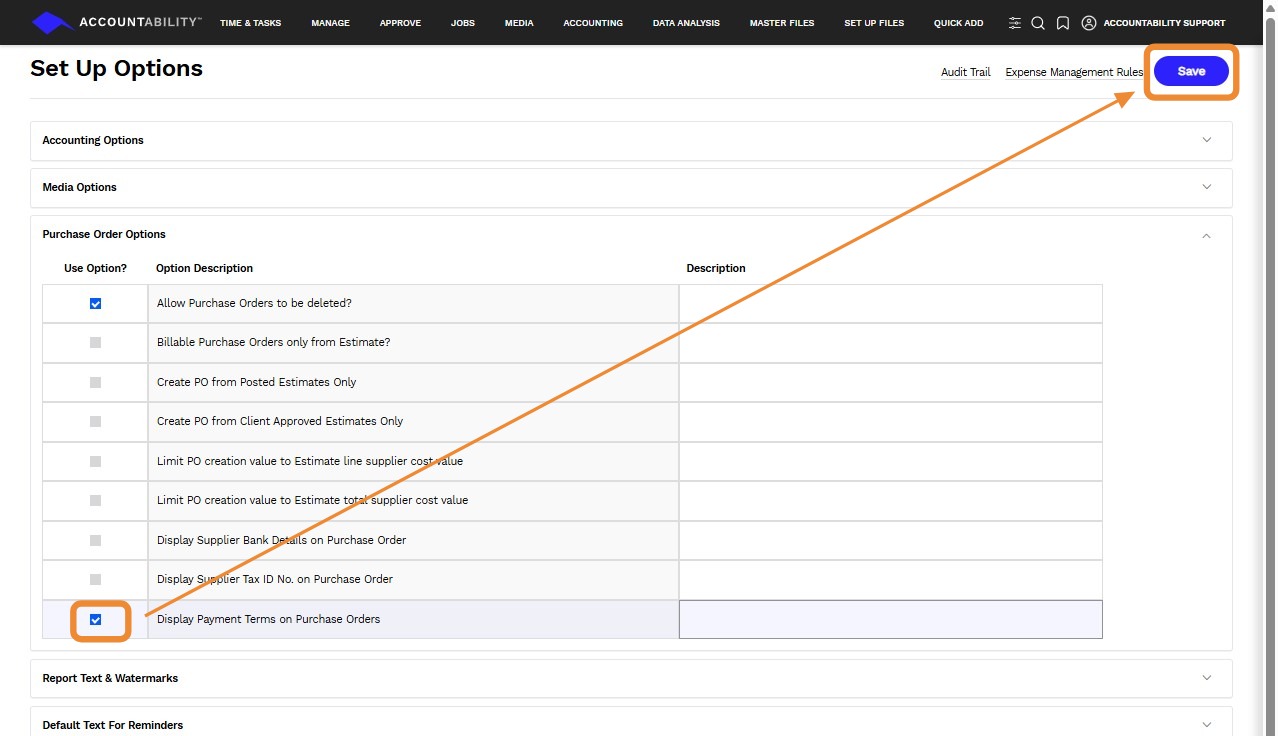
- Navigate to Set Up Files > Set up options.
- Expand Purchase Order Options.
- Locate the option Display Payment Terms on Purchase Orders. Check the Use Option? box to enable the feature. Clik Save.
Review payment terms when creating a purchase order
- Navigate to Jobs > Purchase Order and click New Purchase Order.
- Select the supplier. The Payment Terms field populates with the supplier’s default terms, if defined.
- Review the terms and change them if needed. If the field is blank, you can select the appropriate terms.
- Complete the remaining purchase order details and click Save.
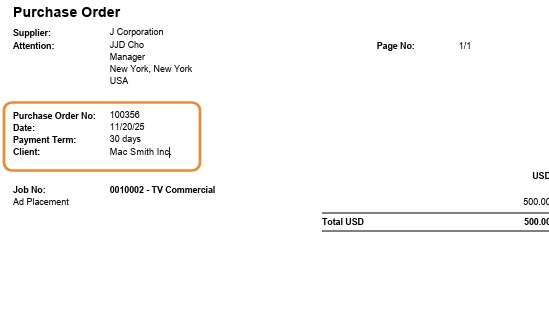
- Click Print to preview the Purchase Order.
Note: Payment terms appear beneath the supplier information on the printed PO only when Display Payment Terms on Purchase Orders is enabled.