![AccountAbility_logo_primary_fullcolor-1.png]](https://knowledgebase.counta.com/hs-fs/hubfs/AccountAbility_logo_primary_fullcolor-1.png?height=40&name=AccountAbility_logo_primary_fullcolor-1.png)
Tip: To resolve this, the user needs to unpin, clear, and re-pin their jobs to sync with the new task type. Alternatively, an admin can assist by deleting the user's Time Favorite Pins. Follow these steps to fix the issue.
1. Click here to learn how to use the Pin Icon in my time
Alert: A systems administrator can unpin all current pin jobs by accessing the employee's master data.
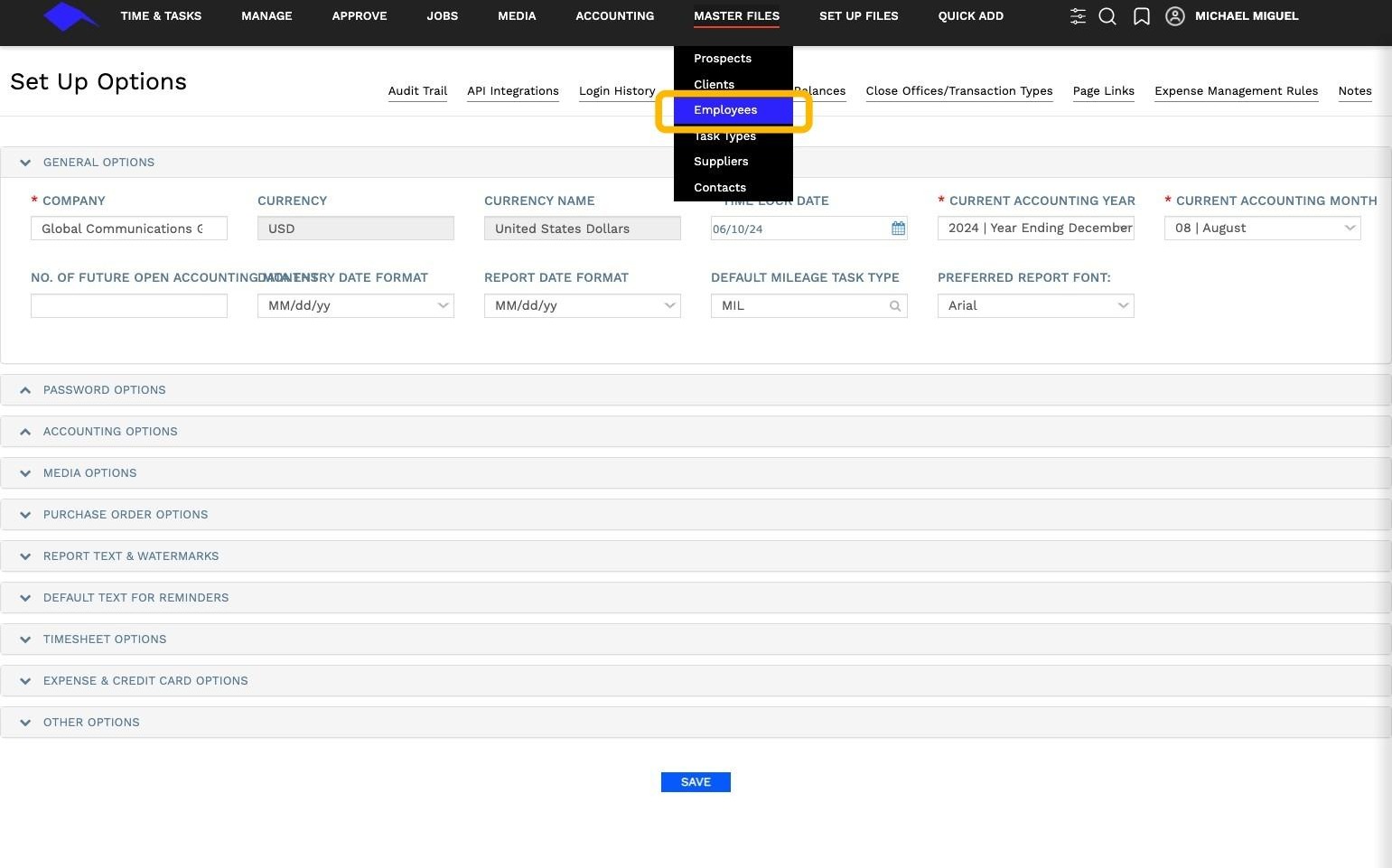
2. Navigate to Employee Records: Master Files>Employees>
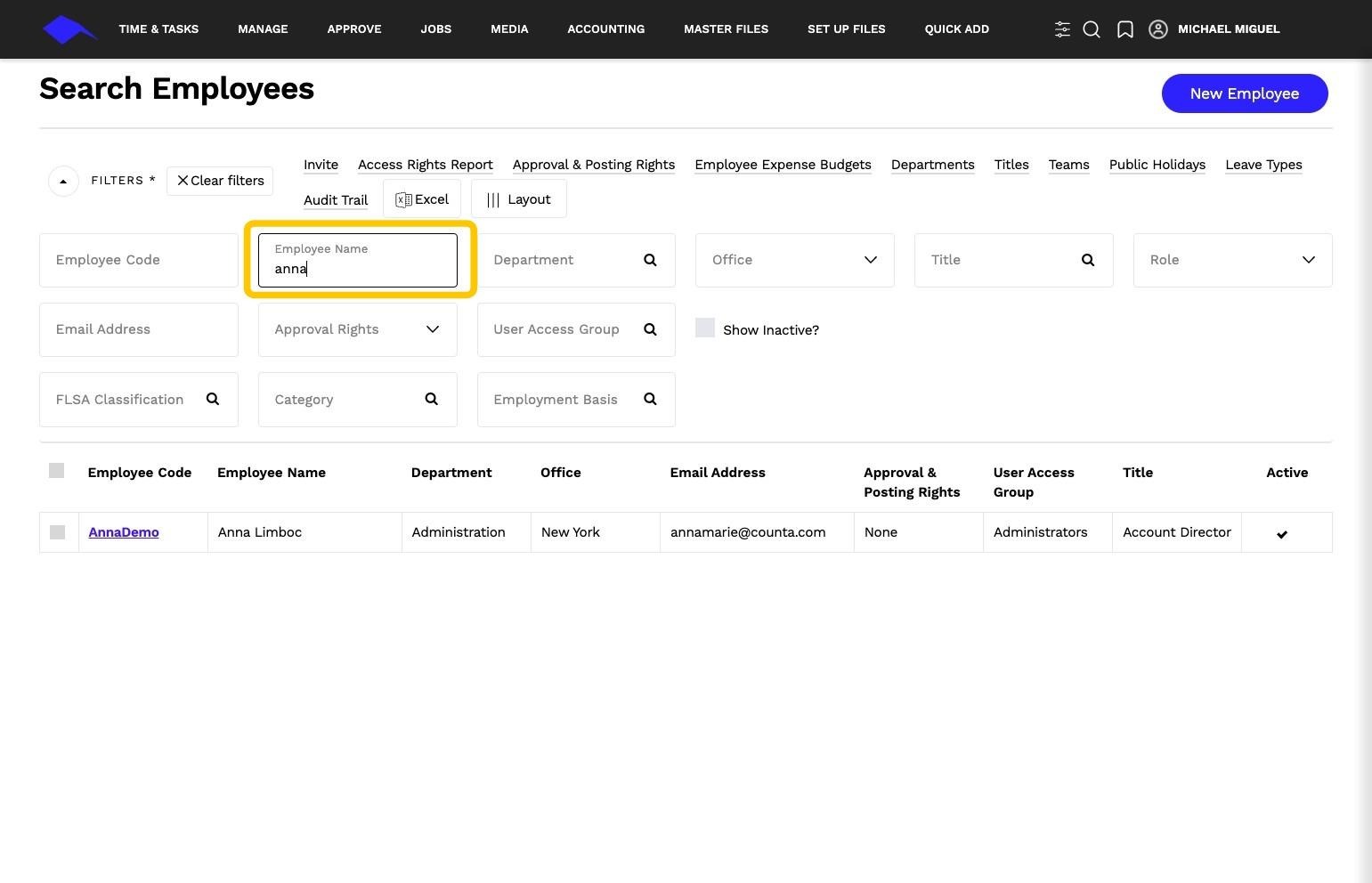
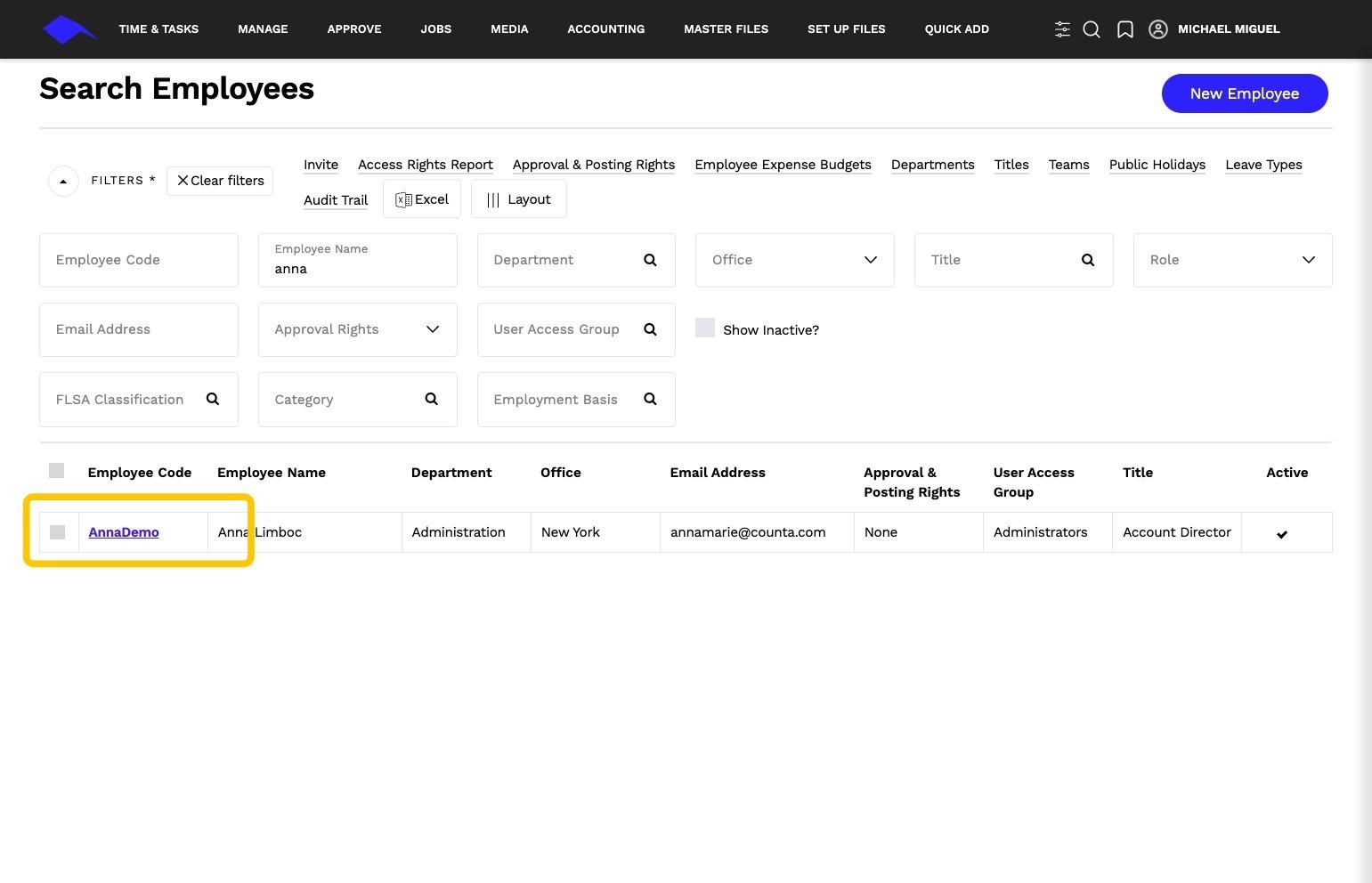
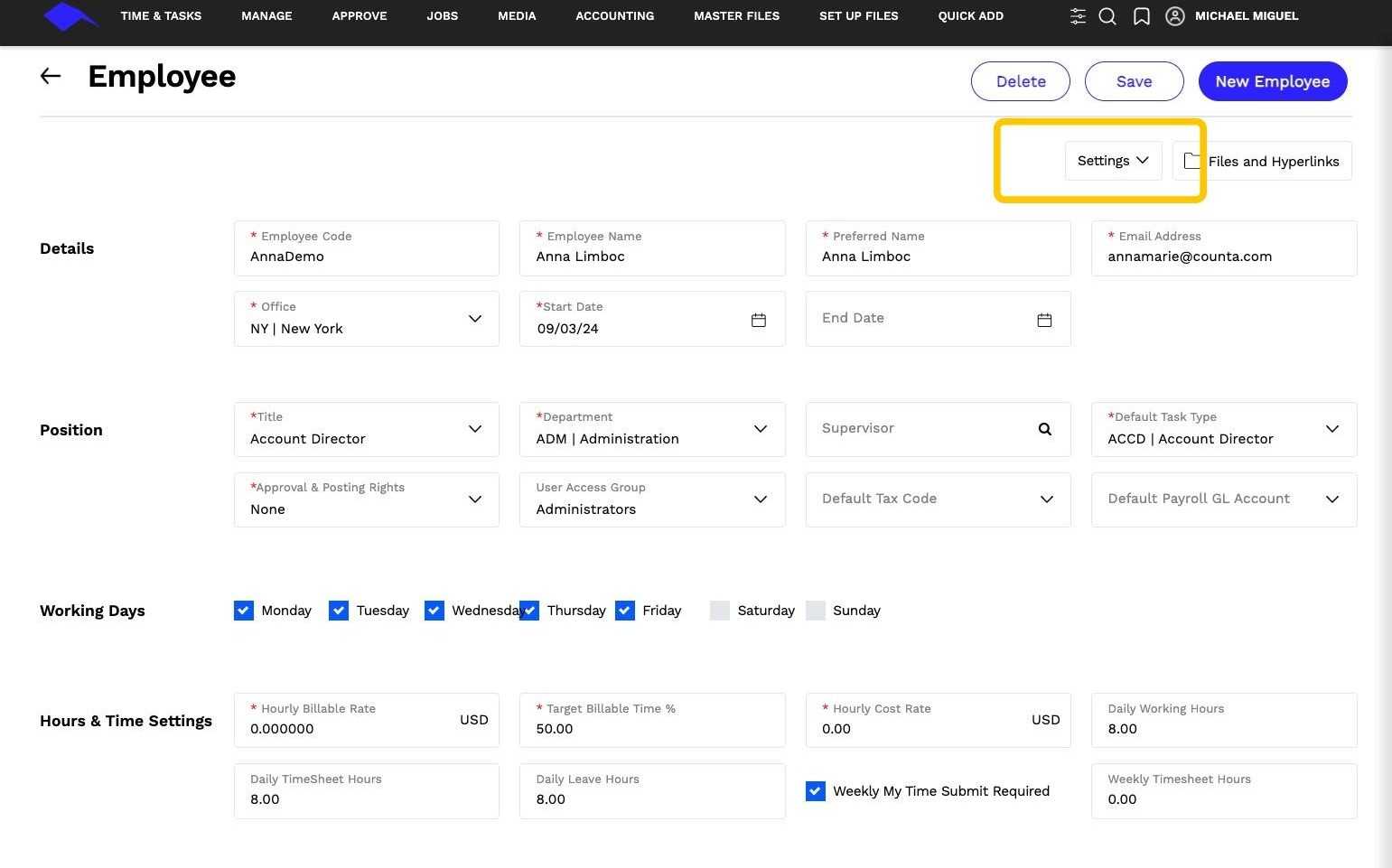
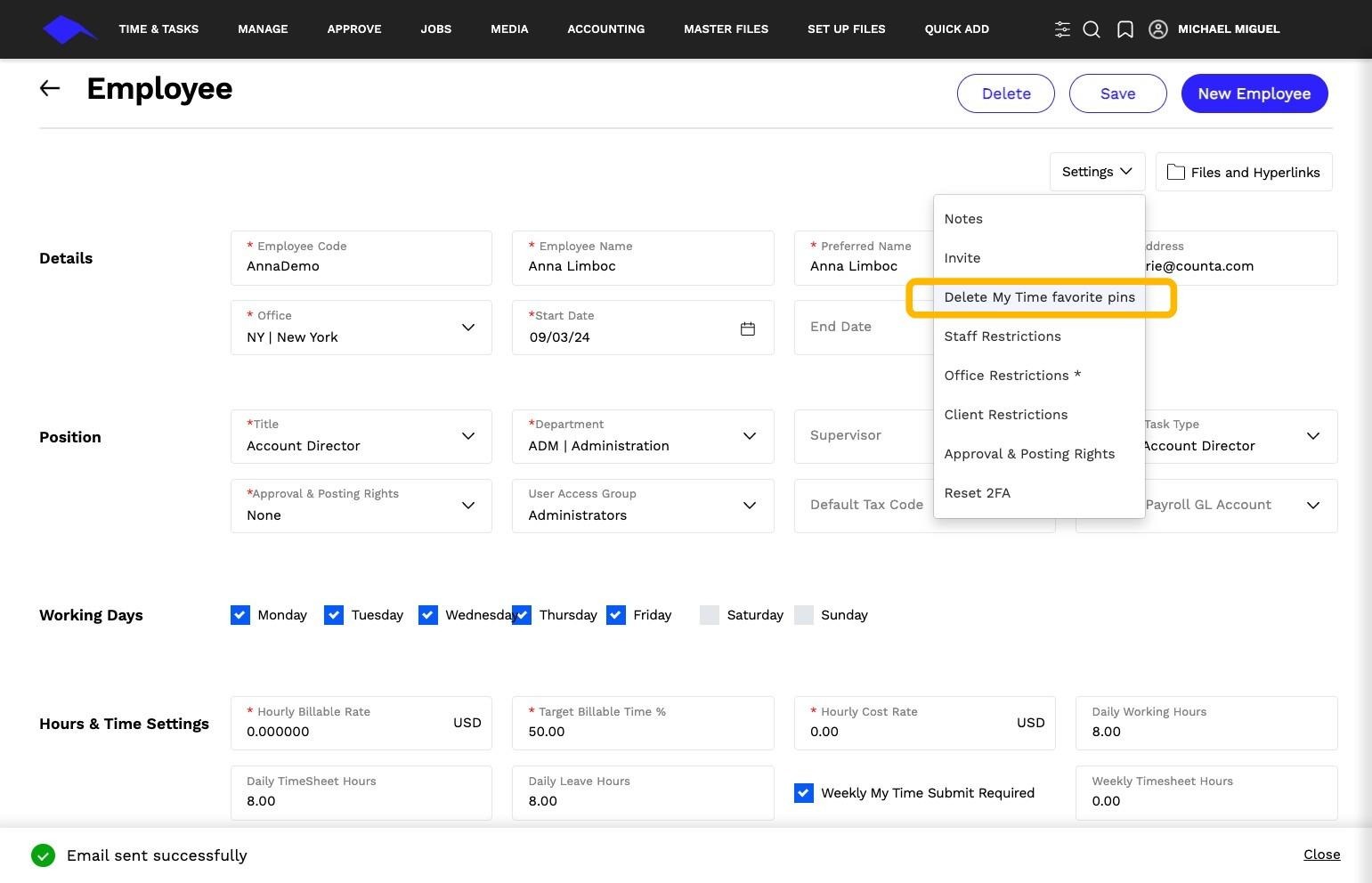
3. Select Settings > Delete My Time Favorites Pin
Tip: Ensure these steps are followed whenever a user's task type is updated to avoid time entry issues.