![AccountAbility_logo_primary_fullcolor-1.png]](https://knowledgebase.counta.com/hs-fs/hubfs/AccountAbility_logo_primary_fullcolor-1.png?height=40&name=AccountAbility_logo_primary_fullcolor-1.png)
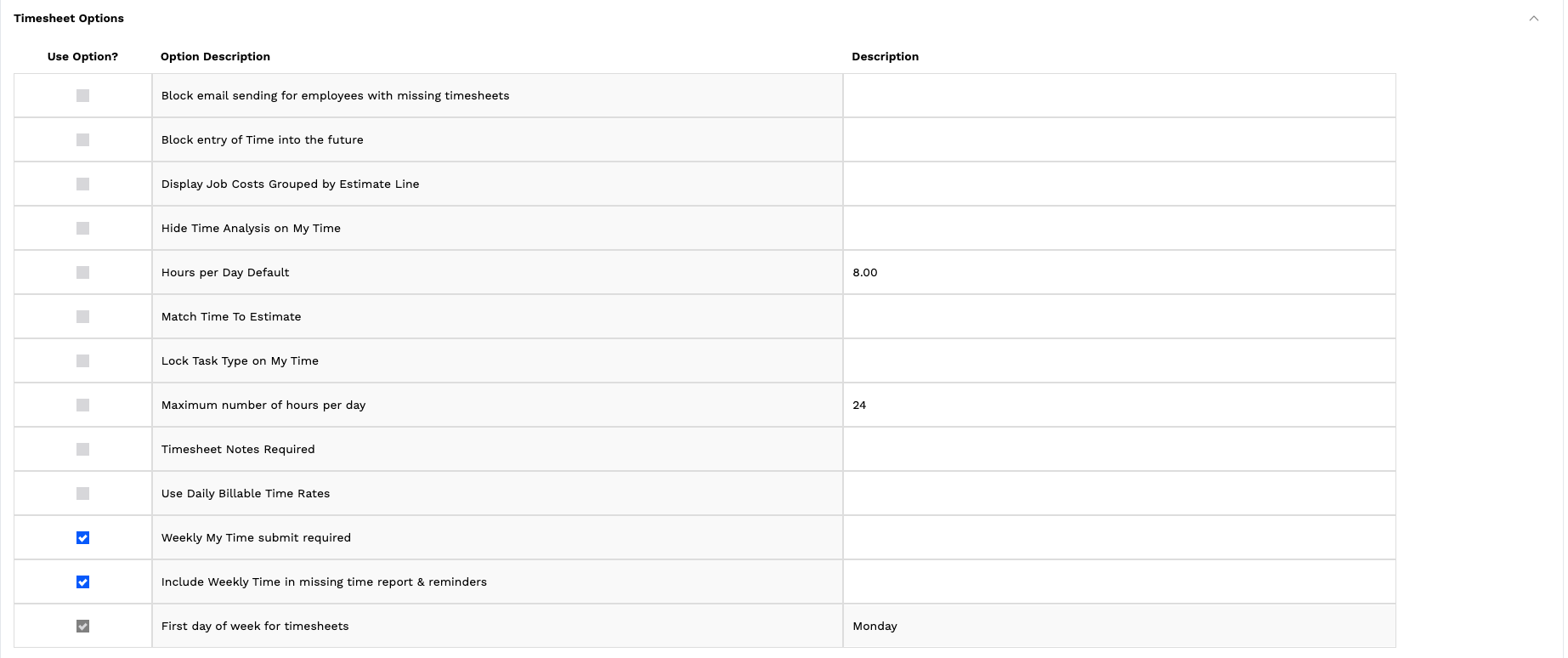
Timesheet Options
Block email sending for employees with missing timesheets
Prevents users from sending emails if they have outstanding timesheets.
This enforces compliance by ensuring time is submitted before other actions are taken.
Block entry of Time into the future
Prevents users from entering time for future dates.
This ensures time is recorded based on actual work completed, improving accuracy.
Display Job Costs Grouped by Estimate Line
Groups job costs based on estimate lines.
This improves visibility into how actual time and costs align with planned budgets.
Hide Time Analysis on My Time
Removes time analysis views from the My Time screen.
This simplifies the user interface for employees who do not need detailed insights.
Hours per Day Default
Sets the default number of hours populated for each day.
This speeds up time entry and promotes consistency across users.
Match Time To Estimate
Restricts time entry to align with defined estimate lines.
This ensures time is tracked against approved scopes and budgets.
Lock Task Type on My Time
Prevents users from changing task types when entering time.
This enforces consistency in how time is categorized and reported.
Maximum number of hours per day
Limits the number of hours a user can enter in a single day.
This prevents unrealistic or incorrect time entries.
Timesheet Notes Required
Requires users to enter notes when submitting time.
This provides additional context for review, approvals, and reporting.
Use Daily Billable Time Rates
Applies billing rates based on daily time instead of other structures.
This supports agencies that bill based on daily rate models.
Weekly My Time submit required
Requires users to submit their timesheets on a weekly basis.
This ensures timely submission and keeps reporting and billing up to date.
Include Weekly Time in missing time report & reminders
Includes weekly time data in missing time reports and reminder notifications.
This improves visibility into incomplete time and supports follow-up.
First day of week for timesheets
Defines the starting day of the timesheet week.
This aligns time tracking with your organization’s reporting and operational structure.